
Short answer: local SEO is the process of helping your business show up when people nearby search for products or services you offer. It covers your Google Business Profile, your website, your reviews and how your business is listed across the web. It matters because people use local searches to choose a business to call, visit or book, often on their phone and often the same day.
The rest of this guide explains how local results work on Google, what you can control, how to tell whether it's working and when it makes sense to get help. It's written for local business owners, including those of us in Central Florida, who want a plain explanation without jargon.
One thing up front: nobody can promise you the top spot in local search results. Google says so itself. What you can do is give Google accurate, complete and trustworthy information, and give customers a reason to choose you once they find you.
What is local SEO and why is it important?
Search engine optimization (SEO) is the practice of making your website and online presence easier for search engines to understand and show to the right people. Local SEO is the same idea with a location attached. Many searches have local intent: "plumber near me," "dentist open Saturday" or just "bakery" typed on a phone.
For those searches, Google tries to show nearby businesses. Its help center says that when someone searches for a business or place near their location, they'll find local results on Google Maps and Search, and that Google tries to show the kind of nearby business they'd like to visit.
So why is local SEO important, especially for businesses with physical locations or service areas?
It reaches people when they're choosing. People searching for local services are often ready to act. Someone typing "AC repair" during a Florida summer wants someone to call.
The listing often sells before the website does. Hours, photos, reviews, directions and a call button appear right in the results.
The core tools are free. Google says creating a Business Profile and listing your business on Google is free.
Small businesses can compete. That's what makes local SEO for small businesses worth the effort: a national brand can't be closer to your customer than you are.
Those are the real benefits of local SEO: being findable, looking credible and making it easy for local customers to take the next step.
How local search results work on Google
For a local search, Google usually shows two kinds of results, earned in different ways.
The local pack and Maps results
The local pack is the map with a short list of businesses that often appears near the top of the page. Appearing in these local listings depends on your Business Profile, not your web pages. The listings and show your name, rating, category, hours and buttons to call, visit your site or get directions.
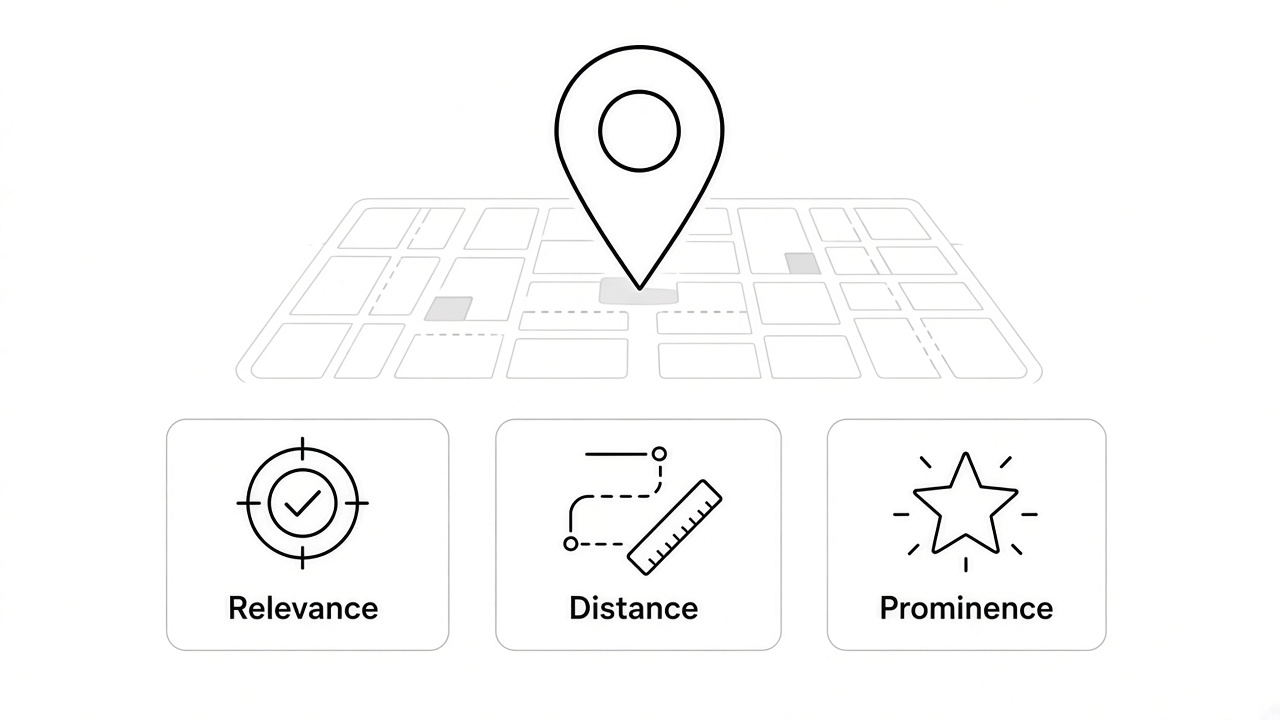
Google's Business Profile Help guide to ranking in local results says those results are mainly based on three factors:
Relevance: how well a Business Profile matches what someone is searching for. Complete, detailed business information helps Google match you to relevant searches.
Distance: how far each business is from the person searching. If the searcher doesn't share their location, Google uses what it knows about where they are.
Prominence: how well-known a business is. Google says this draws on information such as how many websites link to your business and how many reviews you have, and that more reviews and positive ratings can help.
The same page says there's no way to request or pay for a better ranking in local results.
You can't change distance. You can work on relevance and prominence, which is where most local SEO strategies focus, and where you can attract more customers from local searches.
Organic local results
Around the map listings are regular web results: business websites, directories, review sites and articles, ranked by Google's general search systems. Your service pages, location pages and helpful articles compete here.
Both matter. A strong profile with a weak website loses people who click through to check you out. A strong website with a neglected profile can miss the map entirely. Strong local SEO covers both, because most owners want visibility in local search results in both places.
Why your results look different from your customer's
Search Console's documentation notes that results depend on the time, place, device and recent history of the person searching. So don't judge your local search rankings from one search on your phone.
Your Google Business Profile: the foundation
If you do only one thing, do this. Google Business Profile is a free tool that allows businesses to manage how they show up, not only in local searches but also in Google Maps. Effective local SEO usually starts with optimizing your Google Business Profile, because it controls how your business appears in Maps.
Google's own guidance points to these basics:
Verify the profile. Google says verification shows you're authorized to represent the business, so it's more likely to show up in results. Performance data is only available for verified profiles.
Use your real business name. It should match your storefront, website and stationery. Adding keywords or a city to the name isn't permitted and can get the profile suspended. "Smith Plumbing" is fine. "Smith Plumbing Best Emergency Plumber" is not.
Pick the fewest categories that describe your core business. Google suggests categories that finish the sentence "This business IS a…"
Set your address or service area accurately. If customers visit you, show your address. If you travel to customers and work from home, Google says to hide the address and set a service area. A virtual office isn't eligible.
Keep hours current, including holiday hours.
Fill in the details: description, services, attributes, photos and videos. Google says businesses with complete and accurate info are more likely to show up in local search results.
Keep one profile per location. Duplicates can cause display problems.
A practical tip for improving local search visibility: set a monthly reminder to check your hours, photos and any edits suggested by Google or the public.
NAP consistency: name, address, phone
"NAP" means name, address and phone number. Google's guidelines ask businesses to represent themselves the way they're consistently known in the real world, across signage, stationery and other branding. Google also says it can detect category information from your website and from mentions of your business across the web.
Keep those details identical on your Business Profile, website, social profiles, local directories and any association listings. If you moved, rebranded or changed numbers, find the old versions and update them. Matching details make it clear to customers and search engines that your business is the same one everywhere.
Reviews: asking for them and responding
Reviews appear right beside your name in local results, so they shape first impressions. Google counts them toward prominence and says positive reviews and helpful replies can help a business stand out, which can help you attract more local customers.
How to ask, the right way
Google's review policies let businesses ask customers to share genuine experiences, and Business Profile Help offers a review request link or QR code. The same policies don't allow:
Offering payment, discounts or free services in exchange for a review
Discouraging negative reviews or asking only happy customers ("review gating")
Pressuring people to review on the spot, or telling them what to write
Posting reviews about your own business or a competitor
The FTC's rule on consumer reviews and testimonials, effective October 21, 2024, also bans buying or selling fake reviews, paying for reviews that express a particular sentiment and certain review-suppression practices. In short: ask every customer, make it easy and never pay or filter.
A simple routine: after each job or purchase, send a short thank-you with your review link. Ask everyone the same way.
How to respond
Google says replying shows customers you value their feedback. Thank people, mention the service when you can and keep it short. For a negative review, stay calm, own what's fair and offer to sort it out offline. Never share a customer's private details in a public reply.
Local content and location pages on your website
Your website supports relevance. Google needs to understand what you do and where, and customers need a page that answers their questions once they click.
Good local content includes:
A clear page for each main service: what it is, who it's for, how it works and the local area you serve.
Location pages only when they're real. Give each actual location its own page with its address and hours. If you serve several towns from one base, describe the work you really do there. Google's spam policies warn against "doorway" pages, such as near-identical pages aimed at different cities that funnel visitors to one page.
Answers to real questions. What customers ask on the phone makes great page content.
Helpful local articles where they fit, like a landscaper writing about plants that handle Central Florida heat, or a shop covering community happenings it takes part in.
Genuine community ties count too. Sponsoring local events, teams or charity drives, joining your chamber of commerce or working with local influencers can earn mentions. Backlinks from local news outlets, associations and other local websites are the kind of signal Google's prominence description points to, because they show you're known in your local community. Links are a bonus, not the goal.
Local citations and directories
A citation is any online mention of your business name, address and phone number, such as a listing on a directory, industry site or review platform. Citations put you where customers look and keep your details consistent.
Start with the platforms your customers use (Google, Apple Maps, Bing Places, Yelp, Facebook and key sites in your industry), then add relevant local listings like your chamber of commerce or a local business association. Keep a spreadsheet of each listing and the details used, so you can update them all at once. A handful of accurate listings beats hundreds of spammy ones.
On-page basics for local search
To make sure your business is optimized for local search on your own website, whoever manages your site should check these:
Page titles and headings that say what the page covers and, where natural, the area you serve. Use the local keyword a customer would actually type, and favor keywords with local intent over broad ones.
Your NAP on the site, matching your Business Profile.
A clear call to action on every service page: call, book or request a quote.
Mobile-friendly, fast pages. Many local searches happen on phones.
LocalBusiness structured data. Google Search Central documents this markup for your name, address, hours and more; name and address are required. Google doesn't guarantee it will produce special features in search engine results.
How to measure local SEO performance
The numbers don't all mean the same thing. Keep four ideas separate:
Impressions and views: how often you were seen.
Clicks: how often someone clicked through to your site or profile.
Calls and other actions: taps to call, direction requests, messages.
Leads and customers: real inquiries and sales. Only your own records show this.
Google Business Profile performance
Google's performance report shows how people find your profile and what they do next. According to Google's help page, it includes searches (terms people used when your profile appeared, updated monthly), views (unique people, counted once a day each), calls (taps on the call button, not answered calls), directions (requests, with repeat taps, cancellations and spam filtered out), website clicks and, where set up, messages and bookings.
Google Search Console
Search Console covers your website in Google Search. Its Performance report shows clicks, impressions, click-through rate and average position, grouped by query, page, country or device. Use it to see which searches bring people to your service pages and which pages get seen but not clicked.
Your own records
Neither tool counts customers. Ask new customers how they found you, track calls and form submissions, and compare against the reports monthly.
A local SEO checklist
[ ] Business Profile claimed and verified
[ ] Real business name, no added keywords
[ ] Primary category chosen carefully, few extras
[ ] Address or service area set correctly
[ ] Regular and holiday hours current
[ ] Description, services, photos and attributes filled in
[ ] Same name, address and phone on your site and major listings
[ ] Review link sent to every customer
[ ] Replies posted to recent reviews, good and bad
[ ] A page for each main service
[ ] Location pages only for real locations or clearly described service areas
[ ] Titles, mobile speed and calls to action checked
[ ] LocalBusiness structured data on the right page
[ ] Search Console set up
[ ] A monthly log of views, calls, clicks and actual leads
Common mistakes to avoid
Stuffing keywords into your business name. It can lead to suspension.
Using a virtual office or P.O. box as your address.
Buying reviews or trading discounts for them. It breaks Google's rules and the FTC's.
Copy-paste city pages with only the town name swapped.
Letting the profile go stale. Wrong hours cost trust fast.
Judging success from your own search. Use the reports.
Trying every tactic at once. Start with the profile and main service pages.
Hiring anyone who guarantees first place. Google's own guidance says if someone guarantees their changes will put you first in search results, find someone else.
Local SEO vs. national SEO
Both use the same building blocks: useful content, a site search engines can crawl and understand, and a good reputation. The difference is the target.
Local SEO National SEO Who you're reaching Your local audience in the area you serve People anywhere in the country Where you show up Map listings and organic local results Mostly organic results Main assets Business Profile, reviews, NAP, local pages Content, site structure, links from across the web Factor you can't control The searcher's distance from you Strength of national competitors Typical goal Calls, visits, bookings Traffic, sign-ups, online sales
National SEO targets a broader audience, competing on broad topics against competitors everywhere. Local SEO focuses on attracting customers in a local market, where your real address, service area and reputation matter much more. Local SEO is important for any business that serves a specific area, and many businesses need some of both; a store with a showroom and an online shop wants national reach for products and local reach for walk-ins.
DIY vs. hiring help
Here are the honest trade-offs.
Doing it yourself works when you have one location and a short list of services, you can spend a little time each week on reviews and updates, and you (or someone you trust) can edit your website.
Hiring help makes sense when you have several locations or a large service area, your profile has been suspended or duplicated, you need service or location pages written and built properly, or you'd rather spend your time running the business.
If you hire someone, ask them to explain their local SEO strategies in plain terms. Google's "Do you need an SEO?" guidance is worth reading. Expect realistic estimates, not guarantees, and during an initial audit give read-only Search Console access rather than full control. Keep ownership of your Business Profile and accounts, and add people as managers instead of sharing your login.
A few local SEO tips either way: change one thing at a time when you can, note what you changed and when, and give it a few months before judging. Results from local SEO efforts can vary by market and starting point, and no tactic can instantly boost your local SEO rankings.
What doing local SEO right gets you
We won't promise rankings, and you should be wary of anyone who does. Here's what an honest, solid setup gives a business:
Accurate information wherever customers look, so nobody arrives when you're closed or calls a dead number.
A profile that looks active and trustworthy, with recent photos, real reviews and thoughtful replies.
A clear path from search to action: a call, a booking or directions.
A website that backs up the listing and answers questions before customers ask.
Numbers you can read, so you know what's helping.
A successful local SEO strategy helps your business through steady, unglamorous work done consistently. These steps help businesses improve local rankings the honest way, and they're how you improve your local SEO over time. Local SEO helps businesses most when it's treated as part of running the business, not a one-time project.
Want a second set of eyes on your local presence?
If you'd like help reviewing your Business Profile, service pages or local search setup, Twin Rabbit Digital works with small businesses on exactly this. See how we approach local SEO, or reach out through our contact page and tell us a little about your business.
FAQ
How does local SEO work?
Google matches local searches to nearby businesses using relevance, distance and prominence. Local SEO improves the parts you control: a complete, accurate Business Profile, consistent details across the web, genuine reviews with replies, and website pages that clearly explain your services and where you offer them.
How long does local SEO take to show results?
There's no fixed timeline. Fixing wrong hours or a missing category can matter quickly, while reviews, content and local links build over months. Your competition and starting point make a big difference. Track your reports monthly, and be skeptical of anyone who promises results by a date.
How much should I pay for local SEO?
It depends on your number of locations, how much needs fixing and how much content needs creating. The Business Profile itself is free; you're paying for someone's time and expertise. Ask for a written scope that lists the work, the reporting and who owns the accounts.
Can I do local SEO myself?
Yes. Many owners handle the basics: verifying and completing the Business Profile, keeping hours current, asking for reviews and replying. Help is most useful for multiple locations, profile problems, website changes or when you simply don't have the time.
Do I need a physical storefront for local SEO?
No. Service-area businesses, like plumbers or mobile detailers, can have a Business Profile with a service area instead of a public address. Google says to hide your address if you serve customers at their location and don't receive them at yours.
Can I pay Google to rank higher on Maps?
Not in the unpaid results. Google says there's no way to request or pay for a better ranking in local results. Google Ads can place labeled ads in some local results, but those are separate from the unpaid listings.
Can ChatGPT do SEO?
AI tools can help brainstorm page ideas, draft review replies or outline content. They can't verify your Business Profile, earn genuine reviews or know your business details unless you provide them. Have someone who knows your business check anything an AI tool writes for your site.
Sources
All accessed November 10, 2026.
Google Business Profile Help, "Tips to improve your local ranking on Google": https://support.google.com/business/answer/7091
Google Business Profile Help, "Guidelines for representing your business on Google": https://support.google.com/business/answer/3038177
Google Business Profile Help, "Manage customer reviews": https://support.google.com/business/answer/3474050
Google Business Profile Help, "Understand your Business Profile performance & insights": https://support.google.com/business/answer/9918094
Google Business, "Stand out on Google with a free Business Profile" (FAQ: "Is a Business Profile on Google free?"): https://www.google.com/business/
Google Maps User Generated Content Policy Help, "Prohibited & restricted content" (fake reviews, incentives, rating manipulation): https://support.google.com/contributionpolicy/answer/7400114
Federal Trade Commission, "Trade Regulation Rule on the Use of Consumer Reviews and Testimonials," Federal Register, Aug. 22, 2024 (effective Oct. 21, 2024): https://www.federalregister.gov/documents/2024/08/22/2024-18519/trade-regulation-rule-on-the-use-of-consumer-reviews-and-testimonials
Google Search Central, "Spam policies for Google web search" (doorway abuse): https://developers.google.com/search/docs/essentials/spam-policies
Google Search Central, "Local business (LocalBusiness) structured data": https://developers.google.com/search/docs/appearance/structured-data/local-business
Google Search Central, "Do you need an SEO?": https://developers.google.com/search/docs/fundamentals/do-i-need-seo
Search Console Help, "Performance report (Search results)": https://support.google.com/webmasters/answer/7576553